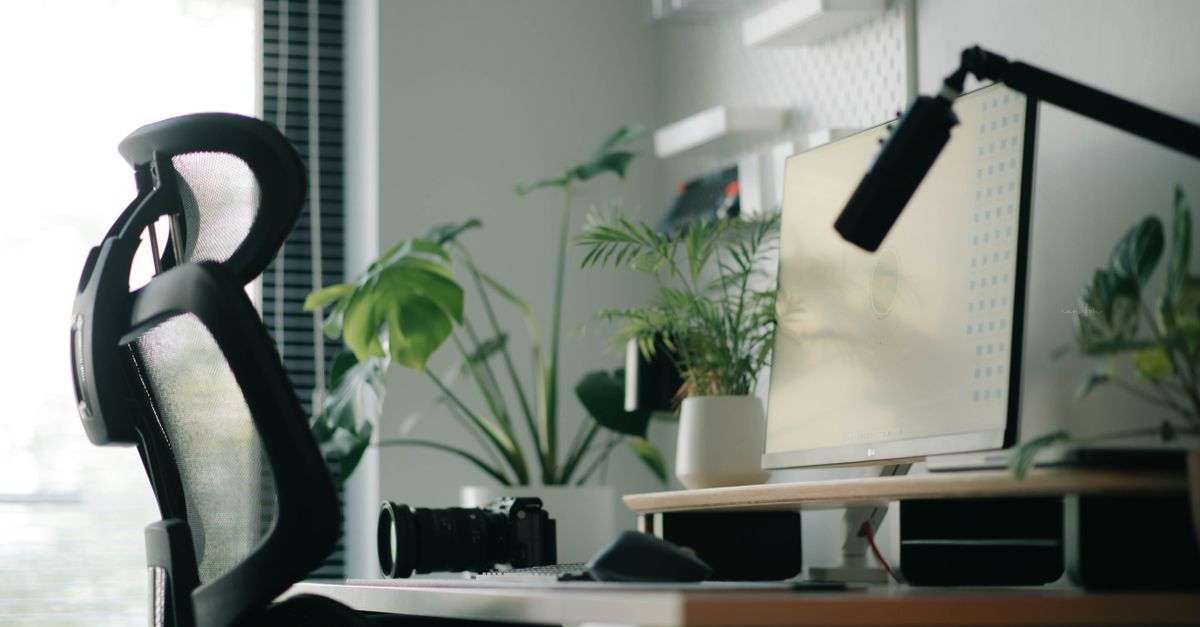
Why Your 'Ergonomic' Home Office Chair is Secretly Killing Your Back (And What Actually Works for Real Comfort)
You’ve invested in what you thought was the perfect ergonomic office chair for your home setup. Maybe it promised lumbar support, adjustable armrests, and a waterfall seat design. You eagerly assembled it, sat down, and for a glorious few days, felt a flicker of hope that your nagging back pain was finally a thing of the past. But now, weeks or months later, that familiar ache is creeping back in. Perhaps it’s a dull throb in your lower back, a stiffness in your neck, or even a persistent pain radiating down your leg. You’re left wondering: If this chair is so ergonomic, why does my back still hurt?
In my experience, the mistake most people make isn’t in buying a bad chair, but in believing that any single piece of furniture can solve a complex biomechanical problem like back pain. The truth is, even the most expensive, feature-rich ergonomic chair can’t compensate for poor habits and a static environment. It’s like buying a top-of-the-line running shoe but then attempting to run a marathon without training; the equipment is good, but the overall approach is flawed. The hidden cost of relying solely on an ‘ergonomic’ chair is not just the hundreds of dollars you spent, but the continued discomfort and the belief that you’ve exhausted your options when, in fact, you’ve only scratched the surface.
This isn’t about blaming the chairs entirely – some chairs are definitely better than others. But it’s about understanding that true back comfort and health in a home office comes from a dynamic, holistic approach, not a static piece of equipment. What changed everything for me, and for countless clients I’ve advised on home organization and wellness, wasn’t a new chair, but a complete rethinking of how I interacted with my workspace throughout the day. It’s about movement, posture awareness, and strategically integrating variety into your routine.
Key Takeaways
- A single ‘ergonomic’ chair cannot solve chronic back pain; a dynamic approach to movement is essential.
- Relying on passive lumbar support often leads to poor posture and weakened core muscles.
- The most effective strategy involves frequent movement, posture shifts, and active engagement with your core.
- Incorporating standing, kneeling, and even floor-sitting positions throughout the day prevents stiffness.
- Your entire workstation, not just the chair, needs to be adjustable and promote varied positions.
The Illusion of Passive Lumbar Support (And Why Your Back Muscles Are Getting Lazy)
Many ergonomic chairs boast prominent lumbar support. It feels supportive initially, right? It pushes into the curve of your lower back, making you think you’re being held in the perfect posture. However, in my experience, this passive support often does more harm than good in the long run.
Here’s why: when a chair provides all the support, your own core and back muscles stop doing their job. They become lazy. Imagine wearing a brace all day, every day – your muscles would weaken. The same principle applies to over-reliance on aggressive lumbar support. Your deep core stabilizers, which are crucial for maintaining good posture and spinal health, disengage. Over eight hours, this leads to muscle fatigue, weakness, and eventually, pain, especially when you stand up and those unsupported muscles are suddenly asked to work.
What changed everything for me was shifting from passive support to active engagement. Instead of letting the chair hold me, I started to consciously engage my core muscles to maintain a neutral spine. This isn’t about sitting rigidly straight all day, but about having a baseline awareness. Think of it like this: your chair should be a tool that facilitates good posture, not a crutch that forces it. For instance, I found that slightly deflating the lumbar air bladder on my chair (if it had one) or using a less aggressive lumbar cushion allowed my own muscles to re-engage. I also started doing small, gentle pelvic tilts every hour to remind my core to wake up.
The Sedentary Trap: Your Body Craves Movement, Not Static Perfection
The biggest misconception in office ergonomics is that there’s a single ‘perfect’ sitting posture. This simply isn’t true. The human body is designed for movement, not prolonged stillness. Even the most perfectly aligned static posture, maintained for hours, will lead to stiffness, reduced circulation, and eventually pain. It’s the sedentary nature of most office work, not just the chair, that’s the real culprit behind much of the back pain.
I’ve seen clients spend thousands on the ‘best’ ergonomic setup, only to neglect the most fundamental aspect of spinal health: movement. They sit perfectly for 90 minutes, then feel terrible. The mistake is believing that if you find the ‘right’ position, you can stay there indefinitely. What actually works is frequent posture changes and micro-breaks.
For example, I set a timer for 25 minutes. When it goes off, I don’t necessarily leave my desk, but I change something. I might stand for a few minutes, do some shoulder rolls, or even just shift my weight, adjust my chair height slightly, or re-engage my core. Sometimes I’ll just stand up, walk to the kitchen for a glass of water, and come right back. This small, consistent movement prevents the accumulation of tension and stiffness that comes from static loading on your spine. It’s about fluidity, not rigidity.
Beyond the Chair: Reimagining Your Entire Workstation as a Dynamic Ecosystem
Thinking that your chair alone is your ergonomic solution is like believing one ingredient makes an entire meal. Your chair is just one component of a larger dynamic workstation ecosystem. The height of your desk, the position of your monitor, keyboard, and mouse – all these elements profoundly impact your posture and, by extension, your back health. If your chair is perfect but your monitor is too low, you’ll inevitably slouch, rendering the chair’s benefits useless.
In my own home office, I learned that true comfort came from making my entire setup adaptable. I invested in a standing desk converter first, then later a full standing desk, which allowed me to easily alternate between sitting and standing. This isn’t a new concept, but the key is using it frequently. I aim for a 30-minute sit, 15-minute stand, or even a 20-minute sit, 5-minute stand cycle. The exact timing isn’t as important as the consistent variation.
Furthermore, monitor height is critical. Your eye line should be at the top third of your screen when you’re sitting or standing upright. This prevents neck craning, which directly impacts your upper back. I use a monitor arm that allows for easy adjustment. Similarly, a separate keyboard and mouse (not relying on a laptop trackpad and built-in keyboard) enables you to keep your elbows at a 90-degree angle and your wrists neutral, reducing strain on your shoulders and upper back. It’s about designing your environment to encourage good habits, not just forcing one position.
The Power of Varied Seating: Unlocking True Spinal Freedom
If the chair is failing, what else is there? The answer lies in embracing varied seating positions that break the monotony of a traditional office chair. This might sound radical, especially if you’ve been told for years that a specific ergonomic chair is the only way.
The mistake I see most often is people thinking they have to commit to one type of chair. What changed everything for me, and for many of my clients, was realizing that my body thrived on novelty and variation. Instead of sitting in my ‘ergonomic’ chair for 8 hours, I now integrate several positions throughout my workday:
- Standing Desk: As mentioned, this is paramount. I stand for roughly 2-3 hours total, broken into segments. It re-engages my leg and core muscles and improves circulation.
- Kneeling Chair: For about an hour, I’ll switch to a kneeling chair. This naturally opens up the hip angle and encourages a more upright posture, taking pressure off the lower back. It’s a great active sitting option, but not for prolonged use, as it can put pressure on the shins.
- Stability Ball: For 30-60 minutes, I might use a large stability ball. This forces constant micro-adjustments from my core, strengthening those stabilizing muscles that the passive lumbar support makes lazy. Again, not for all-day, but excellent for active breaks.
- Floor Sitting (periodically): Sometimes, for a quick check of emails or light tasks, I’ll sit on the floor, leaning against a wall or with a cushion. This is fantastic for hip mobility and completely changes the load on your spine. It’s a fundamental human posture that many of us have lost.
The goal isn’t to perfectly schedule these, but to have options readily available and to listen to your body. When I feel a hint of stiffness, I immediately switch positions. This constant variation keeps muscles engaged, circulation flowing, and prevents any single part of my spine from bearing prolonged, static stress. It’s the ultimate form of ‘active rest’ for your back.
Rethinking Breaks: Micro-Movements and Intentional Stretching
Even with a dynamic workstation and varied seating, the vast majority of people still overlook the power of truly effective breaks. The common misconception is that a ‘break’ means checking social media or staring at another screen. While mental breaks are important, they often don’t address the physical toll of desk work.
In my experience, what actually works are micro-movements and intentional stretching integrated directly into your workday, not just reserved for the gym. This isn’t about doing a full yoga routine every hour, but about simple, targeted movements that counteract the typical desk posture.
For example, every time I stand up, I perform 10 gentle back extensions (hands on hips, arch back slightly, look up). This reverses the forward flexion often associated with computer use. I also do pec stretches by standing in a doorway and gently leaning forward, opening up my chest. Neck rolls and shoulder blade squeezes (pulling shoulder blades down and back, imagining holding a pencil between them) are also daily staples. These don’t take more than 30-60 seconds, but their cumulative effect is profound.
The key is consistency. Make these movements an automatic part of your routine when you switch positions, when you get a glass of water, or even when you’re waiting for a file to load. It’s these small, consistent efforts to break static patterns and restore natural spinal mobility that ultimately lead to lasting back comfort, far beyond what any single chair could ever provide.
Frequently Asked Questions
What are the signs my office chair is contributing to my back pain?
Common signs include lower back pain, neck stiffness, shoulder tension, tingling in the limbs, or persistent discomfort that starts or worsens after prolonged sitting. If you feel relief when you stand up and move around, your chair setup is likely part of the problem.
How often should I get up and move when working from home?
Aim to change your posture or take a brief movement break every 20-30 minutes. Even standing for 1-2 minutes, stretching, or walking to get water can make a significant difference. Your body thrives on frequent, small movements rather than prolonged stillness.
Can a standing desk solve all my back pain issues?
While a standing desk is an excellent tool for promoting movement and reducing static load, it’s not a complete solution on its own. Prolonged standing can also lead to fatigue and foot or leg pain. The key is to alternate frequently between sitting, standing, and other varied positions to keep your body dynamic.
What’s a good alternative to a traditional office chair?
Consider incorporating a kneeling chair for short periods to open hip angles, a large stability ball for active core engagement, or even periods of floor sitting. The goal isn’t to replace your main chair entirely but to have multiple options for varied positions throughout the day.
Beyond the chair, what’s the most important adjustment for a pain-free home office?
Ensuring your monitor is at the correct height is crucial. Your eye line should be at the top third of your screen to prevent neck craning. Additionally, using a separate keyboard and mouse (not a laptop’s built-in ones) allows for proper arm and wrist alignment, reducing upper back and shoulder strain.
Conclusion
Your quest for a pain-free back in your home office might have started with the perfect ergonomic chair, but the journey to lasting comfort is far more dynamic. It’s not about finding one magical piece of equipment, but about embracing movement, conscious posture, and a holistic approach to your entire workstation. By understanding the limitations of passive support, integrating frequent micro-movements, exploring varied seating options, and setting up your entire desk as a supportive ecosystem, you can transform your workday from a source of strain into an opportunity for sustained well-being. Stop letting your chair be a crutch, and start empowering your body to move and thrive in your home office. Your back will thank you.
Written by Sophie Reed
Home Organization & Decluttering
Sophie is an organizational guru who believes a tidy home leads to a tranquil mind, sharing clever storage hacks.
You Might Also Like

The Hidden Cost of 'New' Cookware That Nobody Talks About (And Why Off-Gassing Is Ruining Your Kitchen Air)
Discover the hidden health costs of new cookware's toxic off-gassing and learn safer, healthier alternatives for your kitchen. Authored by Sophie Reed.

The Hidden Cost of 'New' Mattresses That Nobody Talks About (And Why Off-Gassing Is Ruining Your Sleep)
Discover the hidden health costs of new mattresses, from VOC off-gassing to compromised sleep quality. Learn how to choose safer alternatives.

Why Your Bedroom Still Feels Stale (Even After Opening Windows) — And What Actually Works for Real Freshness
Discover the hidden culprits behind a stale bedroom, even with open windows. Learn what truly works for lasting freshness and better air quality.